Top 10 Best Logo Design Apps in 2026: AI Tools Revolutionize Branding for Businesses
Logo design has never been more accessible or powerful than in 2026, thanks to a surge in artificial intelligence tools that let entrepreneurs, small businesses and even seasoned designers create professional branding in minutes rather than days. From drag-and-drop simplicity to advanced vector editing, the top apps blend speed, creativity and commercial-ready outputs, helping millions launch brands without hiring expensive agencies.
Industry analysts say AI-powered generators now handle initial concepts while human oversight ensures uniqueness and trademark safety. Global demand for quick, affordable logos has exploded with the rise of e-commerce, social media startups and remote businesses. Here are the 10 best logo design apps in 2026, ranked by a combination of ease of use, output quality, features, pricing and user feedback from recent reviews.
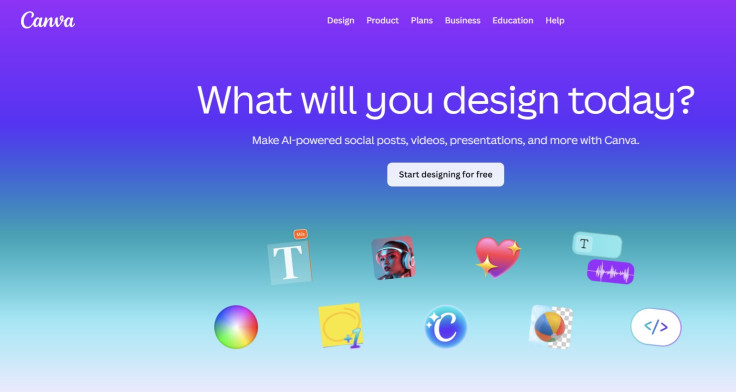
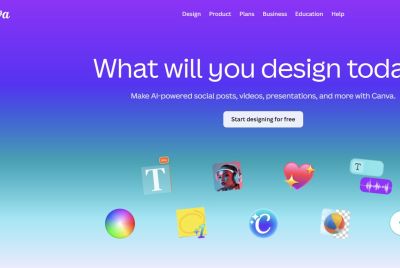
1. Canva Logo Maker Canva remains the undisputed leader for most users in 2026, praised as the best overall logo maker for beginners and professionals alike. Its intuitive drag-and-drop interface, vast template library and Magic Studio AI tools generate custom suggestions from simple prompts about industry, style and name. Users can refine colors, fonts and icons endlessly before exporting in multiple formats, including high-resolution and vector files with a Pro subscription. Free tier offers generous access to assets, making it ideal for small businesses and social media teams. TechRadar and multiple 2026 roundups consistently name it the top pick for its balance of simplicity and power.
2. Adobe Express Adobe Express has evolved into a formidable contender, especially for those already in the Creative Cloud ecosystem. It offers strong AI text-to-image generation, thousands of premium fonts and seamless integration with Photoshop and Illustrator for advanced tweaks. The logo maker delivers clean, customizable results with easy background removal and brand kit management. Free version suffices for basic needs, while the premium plan unlocks full AI features and vector downloads. Experts highlight its professional polish and suitability for marketing departments needing consistent branding across assets.
3. Looka Looka stands out for its AI-driven speed and comprehensive branding packages. Users answer a few questions about their business, and the tool generates dozens of tailored logo options with matching color palettes, fonts and full brand kits including business cards and social media templates. One-time purchase options start around $20 for basic files, with higher tiers providing vector downloads and extended rights. In 2026 reviews, it earns praise for polished, modern designs and value when full identity systems are needed, though some note less flexibility than pure editors.
4. Design.com Design.com frequently tops 2026 "best logo generator" lists for its blend of AI technology and professionally vetted templates. The platform emphasizes originality and IP safety, offering extensive customization and high-quality outputs. With a strong Trustpilot rating, it appeals to entrepreneurs seeking quick yet trustworthy results. Free generation is available, with paid plans unlocking downloads and additional branding tools. Analysts credit its large library and user-friendly flow for making it a go-to for small businesses launching in competitive markets.
5. Wix Logo Maker Wix Logo Maker impresses with its straightforward AI process that produces refined suggestions quickly. Integrated with the Wix website builder ecosystem, it excels for users building an online presence alongside their logo. 2026 tests highlight clean results and easy refinement options. Pricing includes one-time fees for files, making it cost-effective for startups. It ranks highly in video comparisons and roundups for delivering professional-looking logos without a steep learning curve.
6. Hatchful by Shopify Shopify's Hatchful remains a favorite for e-commerce entrepreneurs. The free tool generates industry-specific logos based on quick inputs, with customization for colors, icons and fonts. While outputs lean toward simpler styles, it provides immediate value for online stores needing fast branding. No-cost downloads in basic formats make it accessible, though upgrading unlocks more options. It continues to appear in 2026 free logo maker guides for its targeted utility.
7. Logo Diffusion Specializing in pure logo creation, Logo Diffusion earns acclaim for following strict design rules while producing unique, vector-ready results. Its AI focuses exclusively on logos, offering image-to-logo conversion, upscaling and editing tools. Users praise the professional quality and creativity that avoids generic clipart pitfalls. It stands out in dedicated AI tool comparisons as a strong option for those wanting higher-end outputs without full design suites.
8. BrandCrowd BrandCrowd offers massive template libraries combined with AI assistance, delivering strong value in 2026 reviews. Users can browse thousands of professionally designed options and customize extensively. It appeals to those seeking variety and cost-effective full packages. High user ratings reflect satisfaction with both speed and quality, positioning it as a solid mid-tier choice for small businesses and freelancers.
9. TurboLogo TurboLogo provides fast AI generation with template references for guidance. Its simple workflow suits users wanting quick iterations. One-time fees and customizable outputs earn it spots in multiple "best of" lists. While not as feature-rich as top platforms, it delivers reliable results for basic to moderate needs, particularly for entrepreneurs testing ideas rapidly.
10. Adobe Illustrator For professional designers and agencies, Adobe Illustrator remains the industry gold standard in 2026. While not a simple "maker" app, its vector precision, advanced tools and AI enhancements make it essential for crafting scalable, complex logos from scratch. Subscription-based through Creative Cloud, it pairs well with Express for hybrid workflows. Experts recommend it when pixel-perfect control and print-ready files are non-negotiable.
The landscape in 2026 reflects a clear divide: AI generators like Canva, Looka and Design.com democratize design for non-experts, while powerful tools like Illustrator serve those needing depth. Most platforms now emphasize vector outputs (SVG), commercial usage rights and brand kit extensions to support growing businesses across digital and physical channels.
Challenges persist, including ensuring AI-generated designs avoid trademark conflicts — many tools now include basic checks or recommend professional review. Battery life on mobile apps and export limitations on free tiers remain pain points for some users.
Analysts predict further AI integration, such as real-time collaboration and predictive branding suggestions based on market trends. For now, these 10 apps cover nearly every need, from a solo freelancer sketching an idea on a phone to a marketing team building a complete visual identity.
Small business owners report saving hundreds or thousands of dollars compared to traditional agencies, while maintaining creative control. As competition intensifies, expect even more seamless mobile experiences and cross-platform syncing.
Whether launching a startup or refreshing an established brand, 2026 offers unprecedented tools to make logos that stand out. The key is matching the app to your skill level and goals — from Canva's accessibility to Illustrator's precision.
With options spanning free tiers to affordable one-time purchases, there has never been a better time to design a logo that captures your vision and resonates with customers. As technology advances, the barrier between idea and professional branding continues to shrink.
© Copyright 2026 IBTimes AU. All rights reserved.
- Recommended For You